
What Is a PayShap ID (ShapID) and How to Get One in South Africa (2026)
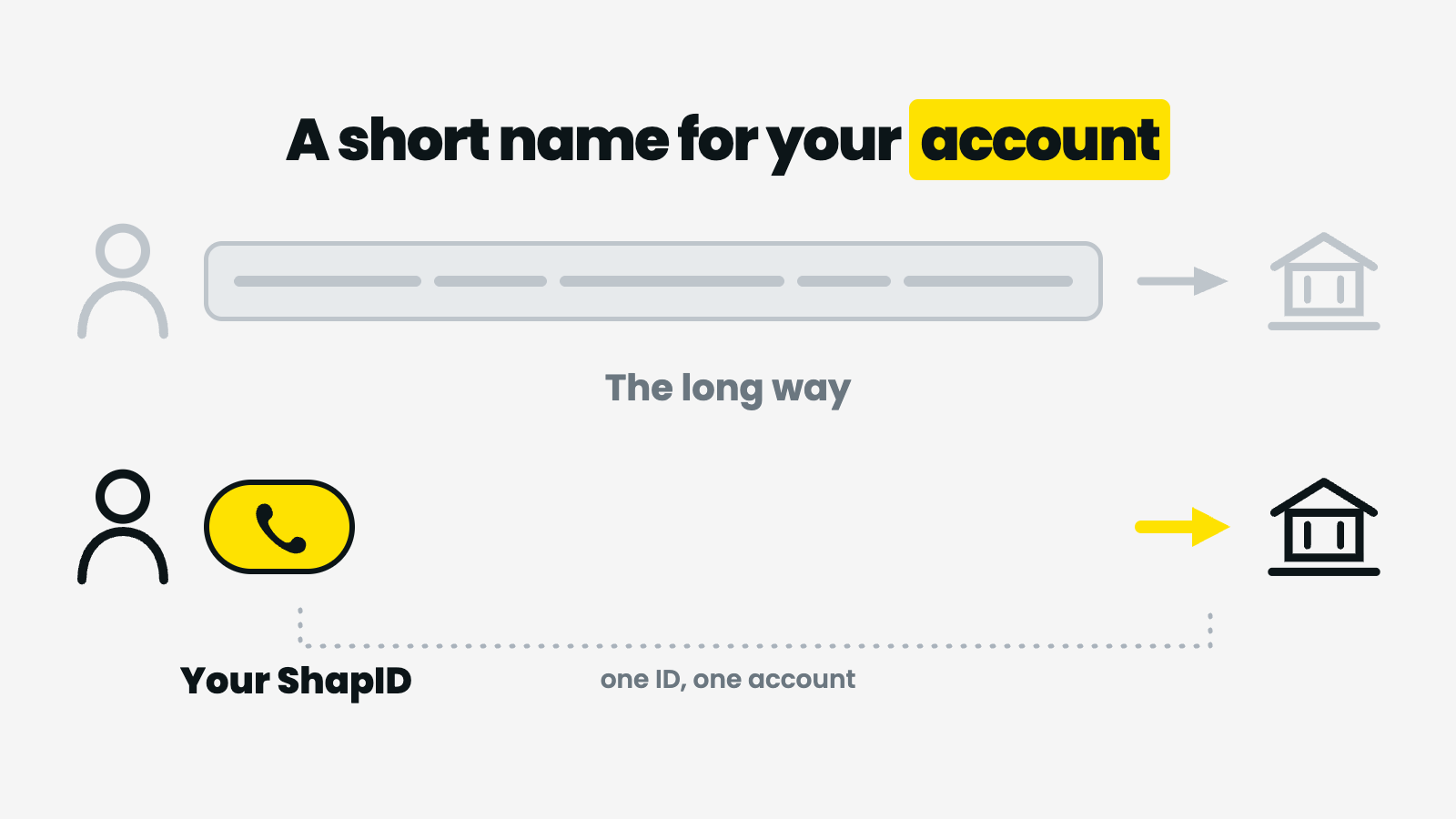
A ShapID is not an app or a separate account — it is a short proxy, usually your cellphone number, pointing at a bank account you already have.

If you have been told to "send it to my ShapID" and you have no idea what that means, you are in the right place. A PayShap ID is not an app, not a login and not a separate account. It is a short nickname that points at a bank account you already have — and once you understand that one sentence, everything else about PayShap gets simpler.
This guide explains what a PayShap ID actually is, how to register one, where to find yours, and what to do if you do not have a bank account at all. For the full picture of how PayShap works — banks, limits, fees and timing — see our main guide, PayShap Explained.
What a PayShap ID actually is
A PayShap ID — often written ShapID — is a proxy. In payments, a proxy is a short, easy-to-share identifier that stands in for your long bank account number. Instead of reading out a branch code and a ten-digit account number, you give someone a ShapID, and the payment system looks up which account it points to.
In practice, a ShapID is usually one of two things:
- Your cellphone number — the most common option, and the reason many people never realise they have registered anything at all.
- A custom alias you choose yourself, if your bank offers it — something like a short word or handle.
Three things follow from this, and they clear up most of the confusion:
- A ShapID is not a wallet. Money does not sit "in" your ShapID. It lands in the bank account the ShapID is linked to.
- One ShapID points at one account. The same cellphone number cannot be registered as a ShapID at two banks at the same time.
- It is optional for receiving. Someone can still pay you the old way, using your account number and branch code.
There is no PayShap app, website login or standalone account
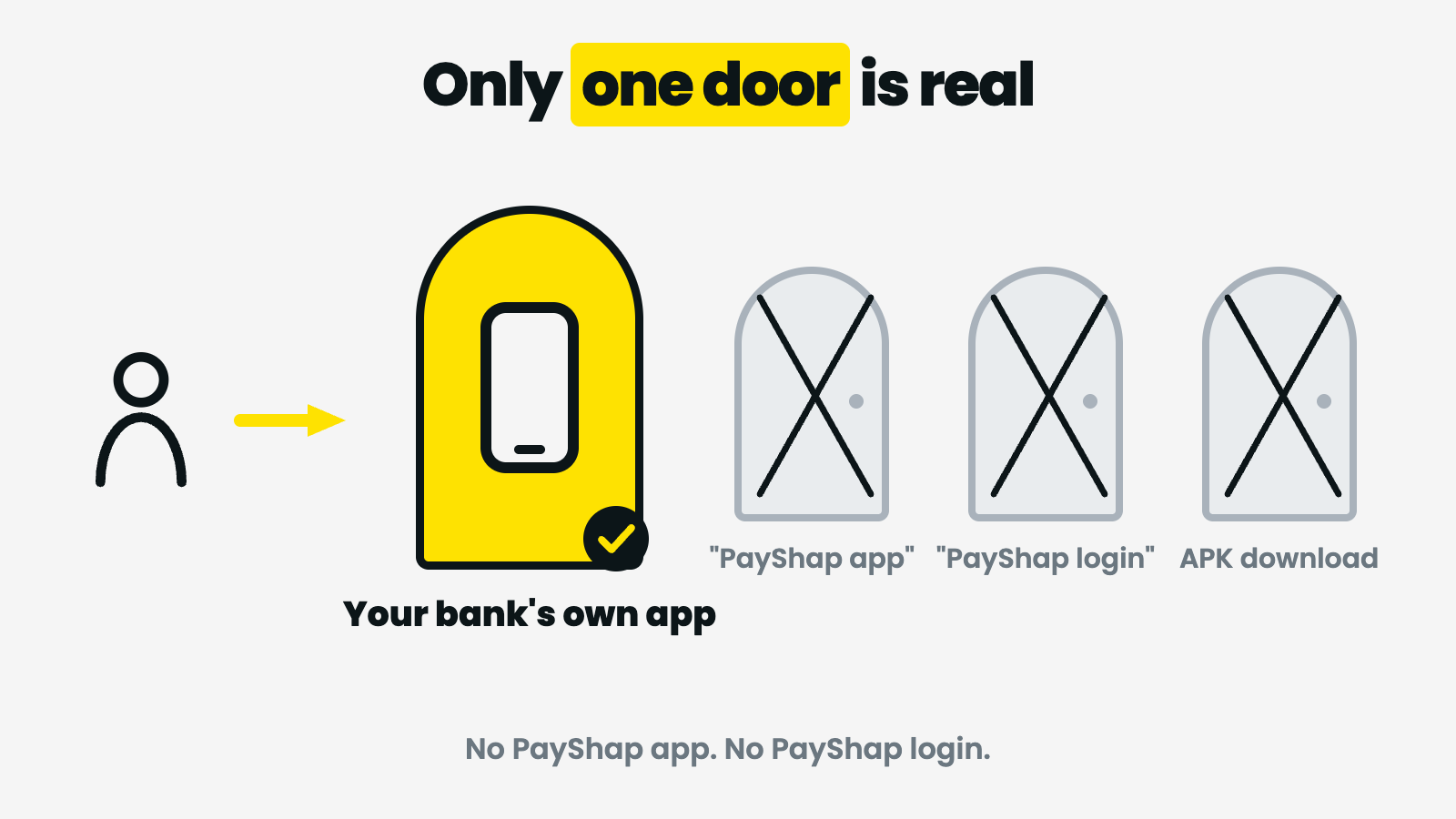
Thousands of South Africans every month search for "PayShap app download", "PayShap login" and "PayShap registration online". It is worth being blunt about this: there is no consumer PayShap app to download, and no PayShap website where you log in and open an account.
PayShap is rails — a payment scheme that participating banks plug into. You register for it, and you use it, inside your own bank's app. That is the only front door.
This matters for safety as much as for convenience. Because so many people search for a PayShap app, look-alike sites and APK files have appeared that promise "PayShap registration online" or a "PayShap login". Installing a banking-style APK from outside the official app stores, or typing your banking details into a page that is not your bank's, is how account credentials get stolen. If a page asks for your card number, your banking PIN or an OTP in order to "register for PayShap", close it.
What you need before you register
Registration is short, but you need these in place first:
- A transactional bank account at a participating bank. PayShap works between banks that have joined the scheme; not every account type qualifies. The current list of participating banks is published on the scheme's own site, payshap.co.za.
- Your bank's official app, installed from the App Store, Google Play or your bank's own published link — and updated to a recent version.
- The cellphone number you want to use, with the SIM in your hand. Most banks send a one-time PIN to confirm the number belongs to you.
- The number already loaded at your bank. If the cellphone number on your bank profile is an old one, fix that first — you generally cannot register a ShapID on a number your bank does not recognise as yours.
If you do not have a qualifying account yet, our guide on opening a bank account online in South Africa covers the documents and the realistic timelines.
How to get a PayShap ID: the general steps
Every bank words its menus differently, so treat this as the shape of the process rather than a script. The wording in your app wins over the wording here.
- Open your banking app and log in as normal.
- Look for PayShap or ShapID — it usually sits under payments, transfers, or a "manage profile / settings" area. Some apps surface it the first time you tap a payment menu.
- Choose "register" or "create ShapID". You will be asked which identifier you want to use — typically your cellphone number, sometimes a custom alias.
- Choose which account it links to. If you hold more than one account, pick the one you actually want money to arrive in. This is the step people get wrong.
- Confirm with an OTP or your app PIN. The bank verifies the number is yours.
- Check that it is live. Ask someone to send you a small amount, or look for your ShapID listed as active in the same menu.
Registration itself is a bank function, so if a step does not exist in your app — or the menu is missing entirely — the answer is your bank's support line, not a third-party site.
How to check or find your PayShap ID
If you have registered and cannot remember what you chose, you do not need to register again. In almost every banking app the same PayShap or ShapID menu that created it will also display it, usually with the account it is linked to and an option to edit or remove it.
A few practical notes:
- If you used your cellphone number, that is your ShapID. There is no separate code to hunt for.
- Format matters when people pay you. Senders normally enter the number the way you would dial it locally. If a payment bounces, check the format before assuming the ShapID is broken.
- The sender should see your name. Most apps display the registered account holder's name before the payment is confirmed — which is a useful check for both sides that the money is going to the right person.
Changing your ShapID or moving it to another bank
Because one identifier can only point at one account, moving your ShapID means de-registering it at the old bank and registering it at the new one. Some banks handle this for you when you register; others expect you to remove it first. Two things to plan for:
- There can be a gap. Between de-registration and the new registration going live, payments to that ShapID may fail. Tell anyone who pays you regularly.
- Change your number, update your ShapID. If you move to a new cellphone number, the old ShapID is still pointing at the old number. Update it in the app rather than leaving a stale one active.
Do you need a PayShap ID to receive money?
No. A ShapID makes you easier to pay; it is not a requirement. Someone can send you a PayShap payment to your account number and branch code, and ordinary EFT still works exactly as before. A ShapID mainly removes the step where you read out a long account number over a bad phone line.
The flip side: if you are being paid urgently, the method matters more than the identifier. Our guide to instant EFT and RTC in South Africa explains why "instant" means different things — and costs different amounts — depending on the rail used.
What a ShapID does and does not change about fees and limits
Registering a ShapID does not, by itself, change what you pay. Fees and limits for PayShap payments are set by each bank and published in that bank's pricing guide — so the honest answer to "how much does PayShap charge?" is: check your own bank's current fee schedule, because it varies and it changes. Be sceptical of any third-party page quoting bank fees as fact; they go stale quickly. If bank pricing generally is a mystery to you, our breakdown of bank charges in South Africa explains what each line on a statement actually is.
The same goes for limits. PayShap was built for lower-value everyday payments, and each bank applies its own caps per transaction, per day and per month. Those caps live in your banking app.
What if you do not have a bank account?
This is where a lot of ShapID searches actually end up. If you do not have a qualifying transactional account, you cannot register a PayShap ID — and no amount of "PayShap registration online" will change that.
You still have ways to get paid. SOLmate is a wallet account rather than a bank, so it does not issue a ShapID, but it does give you an account that money can reach:
- EFT in is free — someone can pay into your SOLmate account by ordinary bank transfer at no cost to you.
- SOLmate to SOLmate is free and lands instantly.
- The account itself is R10.00 a month without a card, or R29.00 a month with a Mastercard debit card (activation from R49.00, priced on your risk profile and address). Full pricing is on the SOLmate fees page.
- Getting money out costs R8.00 for an EFT out, R10 for a wiCode withdrawal at a till, or R20.00 for an eWallet voucher. An RTC (instant) transfer out is R40.00 — worth knowing before you choose speed by reflex.
- Limits are R10,000 a day and R25,000 a month across all services combined, risk-profile dependent — see limits for SOLmate.
If the reason you are reading this is that your employer or a client wants to pay you, our guides on getting paid without a bank account and on receiving your salary or payments are the practical next step. And if you are still deciding where to keep your money, how to choose a money transfer app walks through what to compare. You can open a SOLmate account from your phone.
The bottom line
A PayShap ID is a short proxy — usually your cellphone number — that points at a bank account you already hold. You create it inside your bank's app, you check it in the same place, and it lives with one account at a time. There is no PayShap app, no PayShap login and no standalone PayShap account, and anything claiming otherwise is worth treating with suspicion. If you do not have a qualifying bank account, a ShapID is not available to you — but being paid still is.
Frequently asked questions
What is a PayShap ID?
A PayShap ID, also called a ShapID, is a proxy identifier linked to your bank account. Instead of giving out your account number and branch code, you share the ShapID and the payment is routed to the linked account. It is usually your cellphone number, or a custom alias if your bank offers one.
Is a PayShap ID the same as my cellphone number?
Often, yes. Most people register their cellphone number as their ShapID, so the number is the ShapID. Some banks also allow a custom alias instead. Either way, the identifier points at one bank account.
Do I need a PayShap ID to receive money?
No. A ShapID is optional. Someone can still pay you using your account number and branch code, and ordinary EFT works as before. A ShapID simply makes you easier to pay.
How do I register for PayShap?
You register inside your own bank's app. Log in, find the PayShap or ShapID section under payments, transfers or settings, choose the identifier you want to use, select which account it links to, and confirm with an OTP or your app PIN. Menu names differ between banks.
Where do I find my PayShap ID?
In the same PayShap or ShapID menu in your banking app where you registered it. That screen normally shows the identifier, the account it is linked to, and options to edit or remove it. If you registered your cellphone number, that number is your ShapID.
Is there a PayShap app or website to log in to?
No. There is no consumer PayShap app to download and no PayShap website where you log in and open an account. PayShap is used inside your bank's own app. Sites or APK files offering a PayShap login or registration should be avoided, because entering banking credentials there puts your account at risk.
Can I move my ShapID to a different bank?
Yes, but one identifier can only be linked to one account at a time, so it has to be de-registered at the old bank and registered at the new one. Payments to that ShapID may fail during the changeover, so tell anyone who pays you regularly.
Does a PayShap ID cost anything?
Registering the ShapID itself is a bank function and the fees for sending or receiving PayShap payments are set by each bank. Check your own bank's current pricing guide rather than relying on third-party pages, as bank fees change.
Sources and disclosures
- SOLmate pricing: solmate.co.za/fees. SOLmate limits: solmate.co.za/help/solmate-limits. Fees and limits are current at the time of writing and may change.
- PayShap scheme information and the list of participating banks: payshap.co.za.
- Bank-specific PayShap fees, limits and menu names are set by each bank and are not reproduced here — check your own bank's published pricing guide and app.
- SOLmate is not a bank. SOLmate (SOL Ecosystem (Pty) Ltd) is an authorised financial services provider (FSP No. 52248) and registered credit provider (NCRCP16037).
- This article is general information, not financial advice.