PayShap Explained (2026): How It Works, Banks, Limits, Fees and How to Send
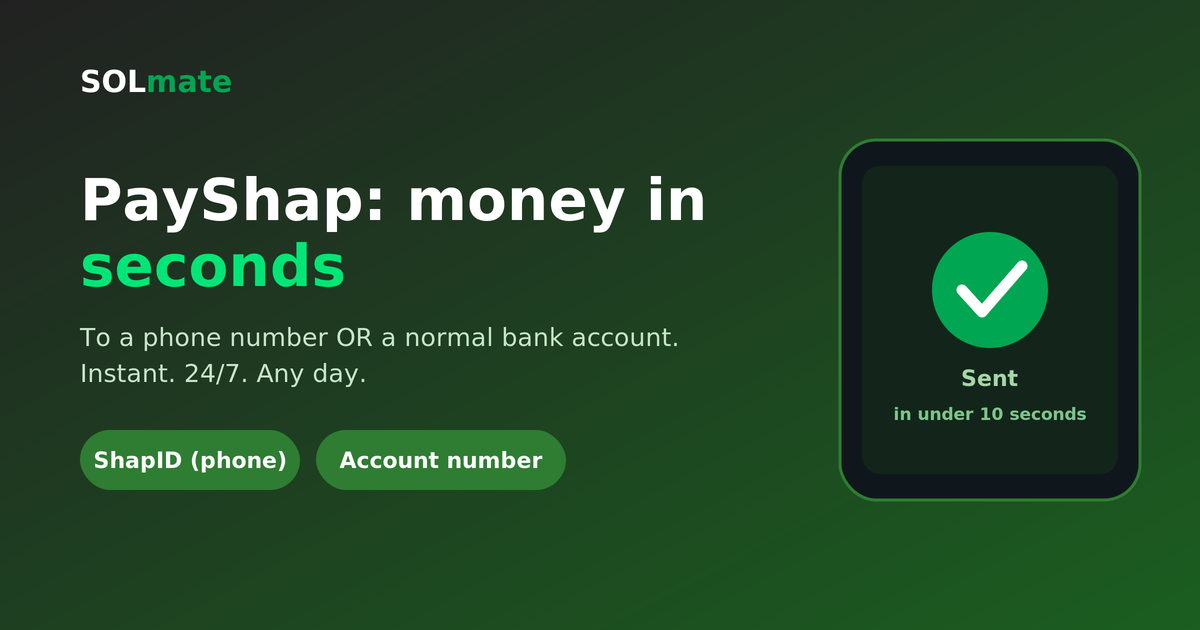
Quick answer: PayShap is South Africa's instant payment rail, run by BankservAfrica with the country's banks. There is no PayShap app: you switch it on inside the banking app you already have, send to a cellphone number (a ShapID) or to a normal account number, and the money lands in seconds, 24/7, up to R50,000 a payment. Fifteen participants are on the network in 2026, each with its own fees and daily caps, and the rail has already carried over a billion transactions.
Below: how PayShap works step by step, how to register, which banks have it, what it costs, the limits, how to withdraw money that arrived by PayShap, and when a plain EFT is the smarter choice.
What PayShap Actually Is
PayShap is South Africa's real-time payment system, built by BankservAfrica together with the country's banks. Think of it as a shared express lane that connects the banks so money can move between them instantly — in seconds, at any hour, on any day of the year. Both sides get a notification the moment it lands.
It is a payment rail, not a product you sign up for separately. That single fact clears up most of the confusion below.
Is There a PayShap App? (No, and That's the Point)
There is no PayShap app to download, no PayShap login, and no PayShap account to open. Any "PayShap APK" you find outside your bank's official app store listing is not from PayShap, and you should not install it — apps like that are a common way of stealing banking credentials.
PayShap lives inside the banking app you already have. If your bank is on the network, PayShap appears as a payment option next to the usual EFT and immediate-payment choices — typically under "Pay" or "Transfer" in your app's menu. You switch it on once, and from then on it's just another way to send.
So the honest answer to "how do I register for PayShap?" is: you register inside your own bank's app, not on a PayShap website. The one thing worth setting up is a ShapID — and even that is optional, as the next section explains.
If you're weighing up apps for moving money in general, our guide on how to choose a money transfer app in South Africa covers what actually matters — fees, speed and limits — rather than which logo you recognise.
Which Banks Support PayShap in 2026
PayShap counts 15 scheme participants in 2026 (payshap.co.za, October 2026). The banks named publicly are Absa, African Bank, Al Baraka Bank, Capitec, Discovery Bank, FNB, GoTyme Bank (formerly TymeBank), HBZ Bank, Investec, Nedbank, OM Bank and Standard Bank; the newest joined in 2026, and the live list is on payshap.co.za. If you bank with any of the big five, you almost certainly have it already. The full table with join dates, and what to do if your bank is not there, is in our guide to which banks have PayShap.
Turning it on follows the same three steps almost everywhere:
- Open your banking app and find the payments or transfers section.
- Look for PayShap (some banks label it "Pay to a cellphone number" or "instant payment").
- Accept the terms, and — if you want one — create a ShapID by linking your cellphone number to the account you want money paid into.
Fees, daily limits and the exact menu wording differ from bank to bank, and banks change them without much fanfare, so treat your own app as the single source of truth for your numbers. If you don't have a bank account at all yet, opening one online in South Africa is now a same-day exercise for most people.
How to Register for PayShap (It Takes Two Minutes)
There is no PayShap website to register on. Registration happens inside your bank's app, and the pattern is the same at every bank:
- Open your banking app and go to Payments (some banks call it Pay, Transfer or Send).
- Find PayShap. If you do not see it, update the app first; older versions hide the option.
- Accept the terms. At most banks this alone switches PayShap on for sending.
- Create a ShapID if you want to be paid by cellphone number: pick the account the money should land in and link your number to it. One number, one account; you can move it to another bank later.
- Done. Share your ShapID (usually your cellphone number) with anyone who wants to pay you.
Two things people get wrong. You do not need a ShapID to send; it only matters for receiving by number. And a ShapID is not a second account: it is a label on the account you already have, so there is nothing to top up and nothing to withdraw from separately.
The Big Myth: "PayShap Is Only for Phone Numbers"
This misconception costs people real money, because it stops them using PayShap for the payments where it helps most.
PayShap has two ways to send, and both are equally instant:
- Pay to a ShapID — a "proxy" linked to someone's account, usually their cellphone number. Handy when you don't have their banking details: all you need is the number.
- Pay to a normal bank account — the recipient's ordinary account number and bank. No ShapID required at all, on either side.
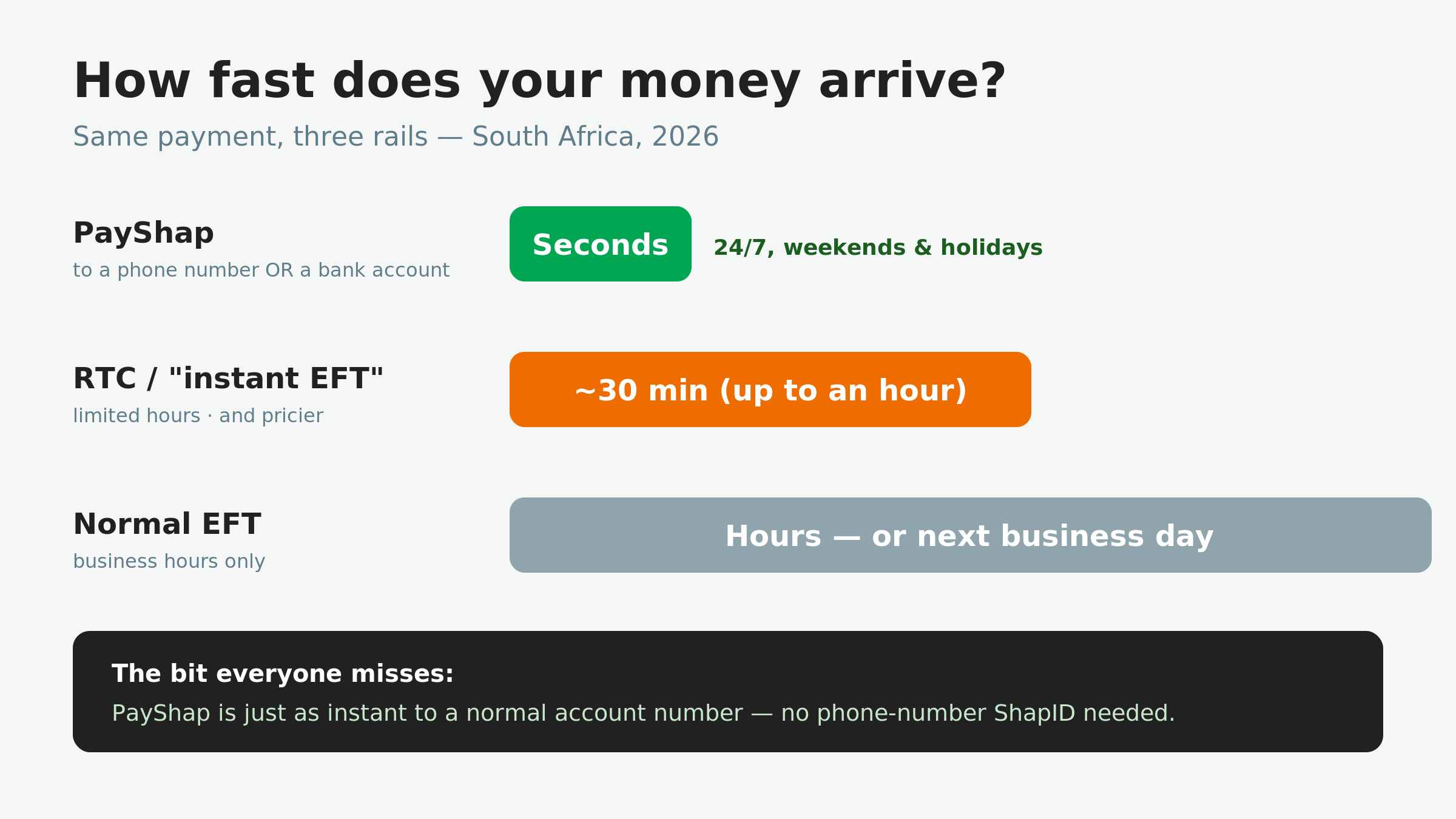
That second option is the one almost everyone overlooks. You do not need the other person to have set up a ShapID. If you have their account number, you can send via PayShap and the money still lands in seconds — far faster than the RTC or EFT you'd normally reach for to pay that same account. This is also the answer to the very common "how do I send money from one bank to another immediately?" question: if both banks are on the network, PayShap is usually the fastest and cheapest route, whichever pair of banks you're moving between.
So the next time you're about to pay a premium for an "instant EFT" to an account number, check for the PayShap option first: same destination, a fraction of the time, usually a fraction of the cost.
PayShap Limits in 2026: How Much You Can Send
The headline number: PayShap supports single payments of up to R50,000 — a large jump from the R3,000 cap the system launched with in 2023; the ceiling was raised in November 2024. But R50,000 is the system's ceiling, not a promise: each bank sets its own per-transaction and daily PayShap limits inside it, and the defaults differ widely. As a rough guide, most banks start new users at a few thousand rand a day and let you raise the cap in the app; the R50,000 figure is what the rail allows, not what your bank gives you on day one.
Three practical notes:
- ShapID and account-number payments generally share the same limits — the proxy changes the addressing, not the ceiling.
- Daily caps are separate from per-transaction caps. Five R10,000 payments can hit a daily wall even though each one fits comfortably inside the single-payment limit.
- Banks adjust these numbers quietly. If a payment bounces while it looks well within the limits, your own bank's current caps in the app are the first thing to check.
PayShap Request: Asking to Be Paid
Alongside sending, the network supports PayShap Request: you send a payment request to someone's ShapID from your app, they see it in their app, and approve or decline it. The money moves only when they approve, so it is a polite way to split a bill or chase a client without typing their bank details. Availability depends on your bank; most of the big banks have it, some smaller participants have not switched it on yet. Treat an unexpected request with the same suspicion as an unexpected link: approve only requests from people you know and amounts you expect.
PayShap Fees: What Actually Drives the Cost
There is no single PayShap price. The system sets the rails; your bank sets the fee, which is why "how much does PayShap charge?" has no one answer. Three patterns hold across most banks:
- Small payments are often cheap or free. Many banks price a low-value band (commonly the first few hundred rand) at zero, then charge above it.
- Paying to a ShapID is usually cheaper than paying to a full account number — sometimes materially so. If your app shows both options, compare them before you confirm.
- It is still normally cheaper than RTC. The "instant EFT" premium exists because that rail was built as a courier lane on top of a batch system; PayShap was built to be instant from the start.
If your bank's PayShap fee looks higher than you expected, it's usually worth reading it in the context of everything else you're charged — our breakdown of bank charges in South Africa shows how the monthly account fee, card fees and transaction fees add up into a number most people never total.
How Long Does a PayShap Take?
Under ten seconds, in the ordinary case — and that holds at 23:00 on a Sunday exactly as it does at 11:00 on a Tuesday. There are no cut-off times, no batch windows and no "next business day."
When a PayShap does take longer, it is almost always one of three things: the receiving bank is having a temporary outage, the payment has been held for a fraud or compliance check, or the ShapID has been de-linked and re-linked to a different account. If money hasn't arrived after a few minutes, check the payment status in your app before sending it again — sending twice is how people accidentally pay twice.
Receiving and Withdrawing PayShap Money
This trips people up because of how Ewallet-style products work, so it's worth stating plainly: a PayShap payment lands in a bank account — the account behind the ShapID, or the account number the sender typed. It does not sit in a separate holding space waiting to be claimed with a code, and there is nothing to "accept."
That means withdrawing it is simply withdrawing from your own account: your card at an ATM or a till point, or your bank's cardless-withdrawal feature. If you don't have a card on you, our guide to withdrawing money without a card in South Africa covers the options in detail.
One consequence worth knowing: because the money is already in an account, a PayShap cannot expire the way an unclaimed voucher can.
So "how do I withdraw PayShap money" has a plain answer: the same way you withdraw anything from that account. Card at an ATM, cash at a till, a cardless withdrawal from your bank's app, or spend it directly. There is no voucher and no code. If you were expecting a code, you are probably thinking of an Ewallet, which is a different product.
PayShap vs EFT vs RTC: Which Rail, When
| Rail | Speed | What it costs | Use it for |
|---|---|---|---|
| PayShap | Seconds, 24/7 | Set by your bank; small payments are often cheap or free | Everyday instant payments within your bank’s limit |
| RTC (“instant EFT”) | Minutes to an hour; cut-off times apply | Premium — for scale, SOLmate charges R40.00 for an RTC payment | Urgent transfers where PayShap isn’t available |
| Standard EFT | 1–2 business days | Cheapest — SOLmate charges R8.00 out, and EFT in is free | Anything that can wait a day or two |
The economics of the two older rails — why batches are cheap, why the courier lane costs more, and when that premium is genuinely worth paying — are unpacked in our guide to instant EFT and RTC in South Africa. The short version: PayShap first where it fits, RTC when it doesn't, standard EFT for everything patient.
Before You Send: Two Mistakes You Can't Undo
- It can't be reversed. Instant means instant in both directions: once it's gone, getting it back depends on the goodwill of whoever received it. Check the number or account on the confirmation screen, not the one you typed.
- Nobody needs your PIN or OTP to pay you. If someone asks for either "so the PayShap can go through," it is a scam. Receiving money never requires you to share a code, and no legitimate bank employee will ask for one.
Where SOLmate Fits In
SOLmate is a digital wallet, not one of the banks on the PayShap network, so you don't send a PayShap from SOLmate. What SOLmate does is sit alongside it and take the cost out of everything else. Transfers between SOLmate users are free and instant, receiving money by EFT is free, and airtime, electricity, water and DStv top-ups are free. Where a rail does cost money, the price is published: R8.00 for an EFT out, R40.00 for an RTC payment. Accounts start at R10.00 a month, or R29.00 a month with a Mastercard debit card (plus a R49.00 activation fee) — the full list is on our fees page.
Worth knowing before you plan around it: SOLmate's combined transaction limits are R10,000 a day and R25,000 a month (some services carry a lower daily cap, Ewallet transfers for example are R4,000 a day), and they're risk-profile dependent — the detail is in our limits help page. So the sensible setup for most people is a pairing, not a swap: use your bank's PayShap for instant transfers to anyone, and use SOLmate to keep the everyday running costs down.
(And if a traditional bank has ever turned you away for not having a green ID, SOLmate opens an account with a passport or asylum permit — see how it works.)
Read next in the PayShap series
- What is a ShapID and how to get one – the cellphone-number address, step by step
- Which banks have PayShap – the full participant table and how to switch it on
- PayShap vs EFT vs RTC – which rail to use, when, and what each costs
- Instant EFT and RTC explained – the older express lane and its cut-off times
PayShap in One Paragraph
PayShap isn't an app, and it isn't just "money by cellphone number." It's a payment rail already sitting inside your banking app: instant, around the clock, up to R50,000 a payment, and it works just as well sending to an ordinary bank account as to a phone. Once you know that, the slow, expensive "instant EFT" stops making sense for most everyday payments.
Want the rest of your money to move as fast and cost as little? See what SOLmate offers — free transfers between users, free airtime and electricity top-ups, and a Mastercard debit card, from R10.00 a month.
PayShap FAQ
How does PayShap work?
It is a payment rail inside your bank's app. You choose PayShap as the payment type, enter a ShapID or an account number, confirm, and the money clears between the banks in seconds, any day of the year.
Is there a PayShap app?
No. Anything calling itself a PayShap app or login page is not official. The only place to switch it on is your own bank's app; the only official site is payshap.co.za.
How do I register for PayShap?
Inside your banking app: Payments, PayShap, accept the terms, and optionally link your cellphone number as a ShapID. There is no separate registration site.
What is a PayShap payment?
An instant payment sent over the PayShap rail to a ShapID or an account number. It lands in the receiver's bank account; there is no voucher to claim and nothing to accept.
How much can I send with PayShap?
The rail allows up to R50,000 per payment. Your bank sets the daily and per-payment caps that actually apply to you, and most let you adjust them in the app.
How do I withdraw PayShap money?
The same way you withdraw from that account: card at an ATM, cash at a till, or a cardless withdrawal from your bank's app. The money is already in your account.
Can I send a PayShap from SOLmate?
No. SOLmate is a wallet, not a bank on the PayShap network. From a SOLmate wallet you send a standard EFT (R8.00) or an RTC (R40.00); SOLmate-to-SOLmate transfers are free and instant.
New to digital payments? Read the hidden cost of cash in South Africa.
Sources: PayShap (BankservAfrica). SOLmate fees and limits from our fees page and limits help page. Bank participation, PayShap limits and fees correct as of October 2026; banks set their own, always check your banking app. Facts re-checked against payshap.co.za and SOLmate product pages (/fees, /help/solmate-limits) on 10 October 2026. This is general information, not financial advice. SOLmate is not a bank. SOLmate (SOL Ecosystem (Pty) Ltd) is an authorised financial services provider (FSP No. 52248) and registered credit provider (NCRCP16037).